

1
Click 'New Category'
In the top right corner, click the New Category button.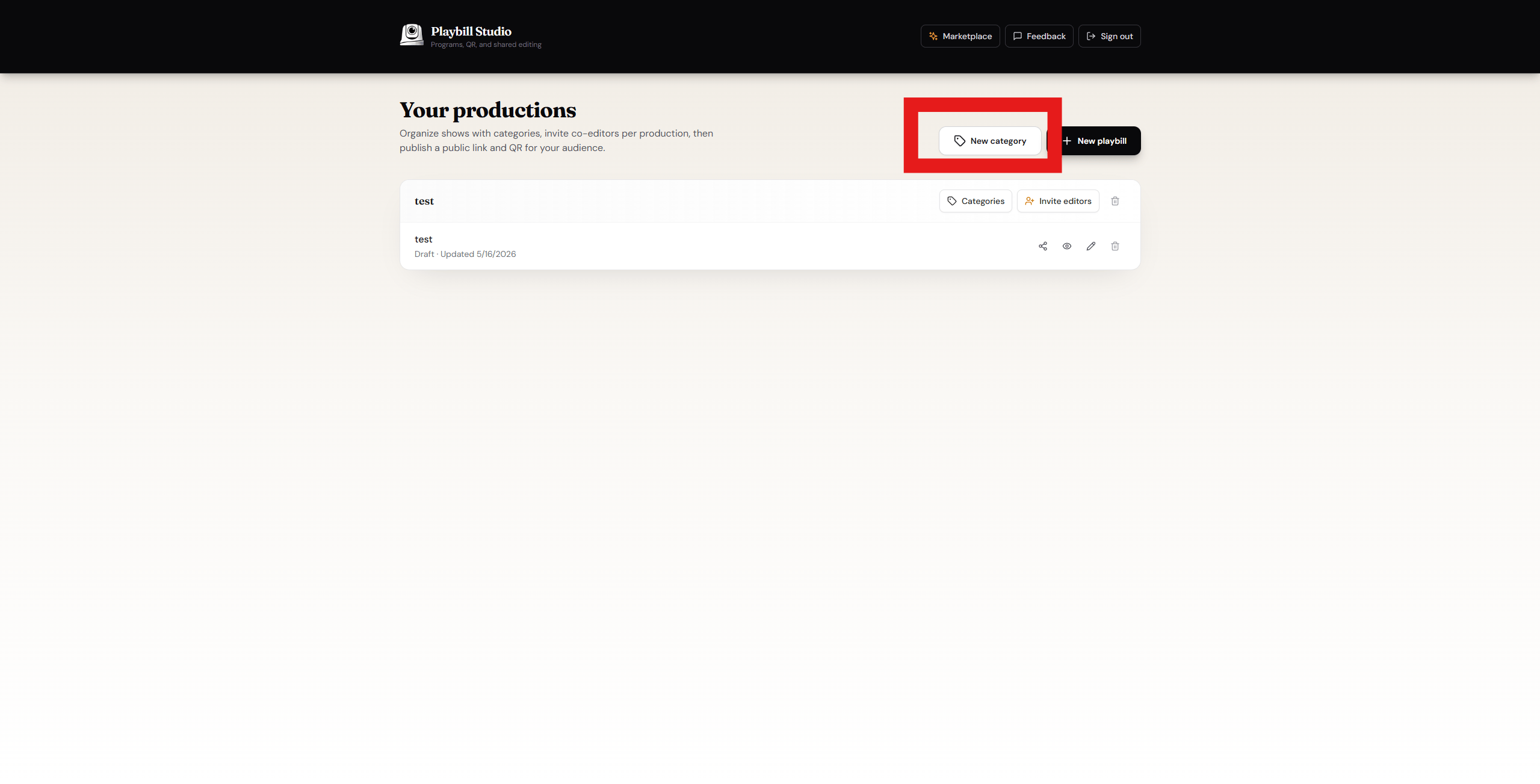
2
Configure your category
Fill in the settings for your category, then click Create.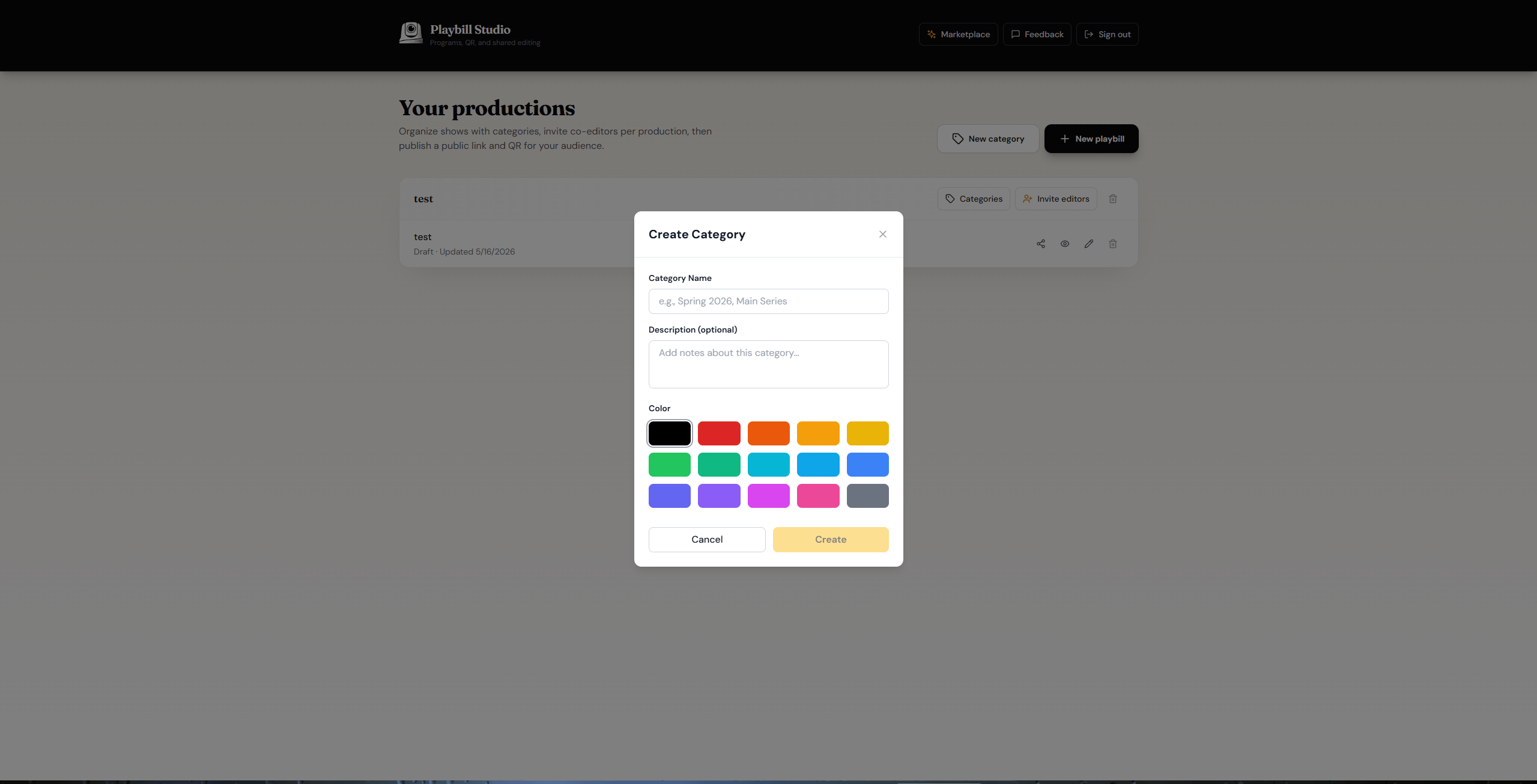
3
Open Categories on your Playbill
Navigate to your Playbill and click Categories.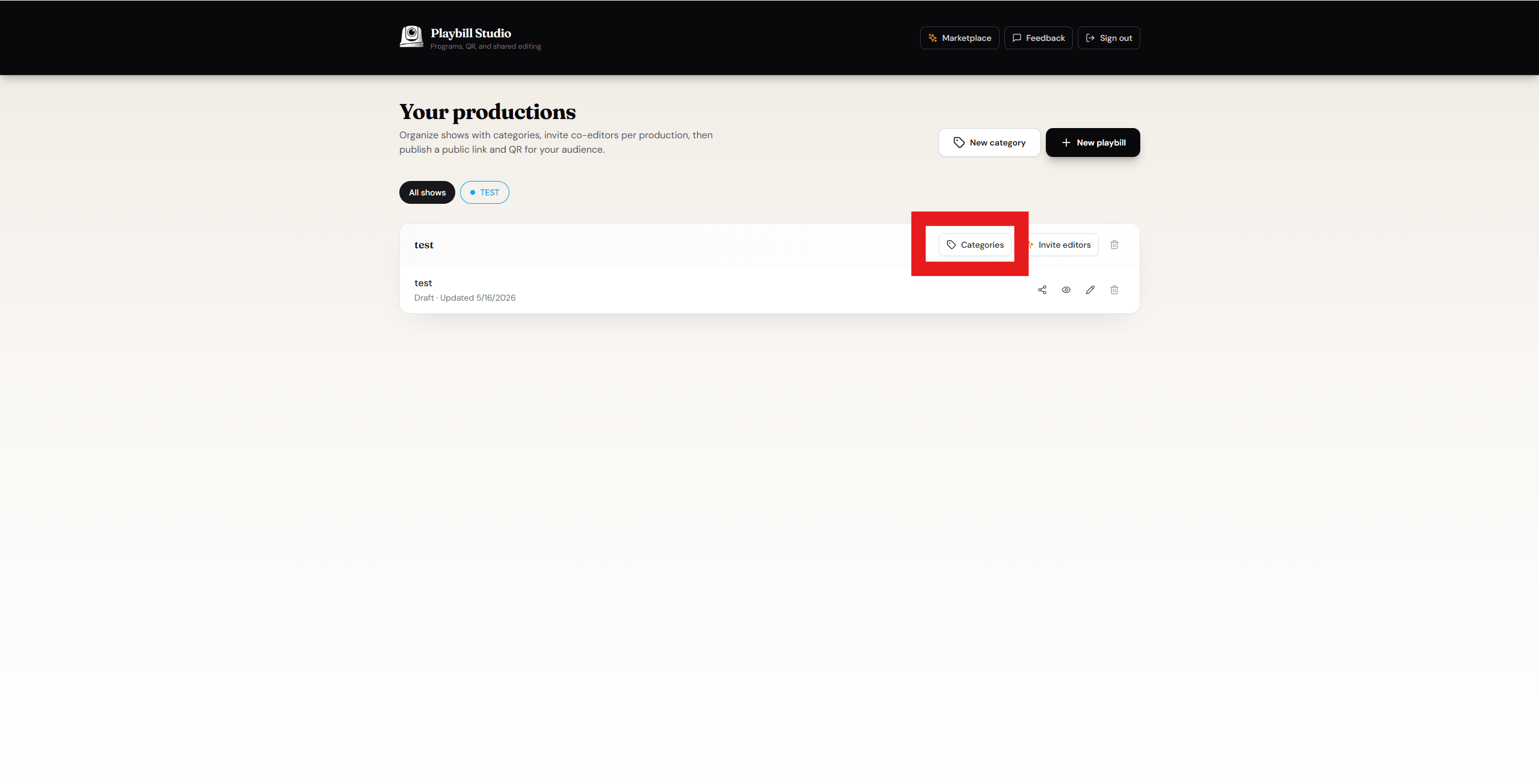
4
Assign categories
Select all the categories you want to add to this Playbill.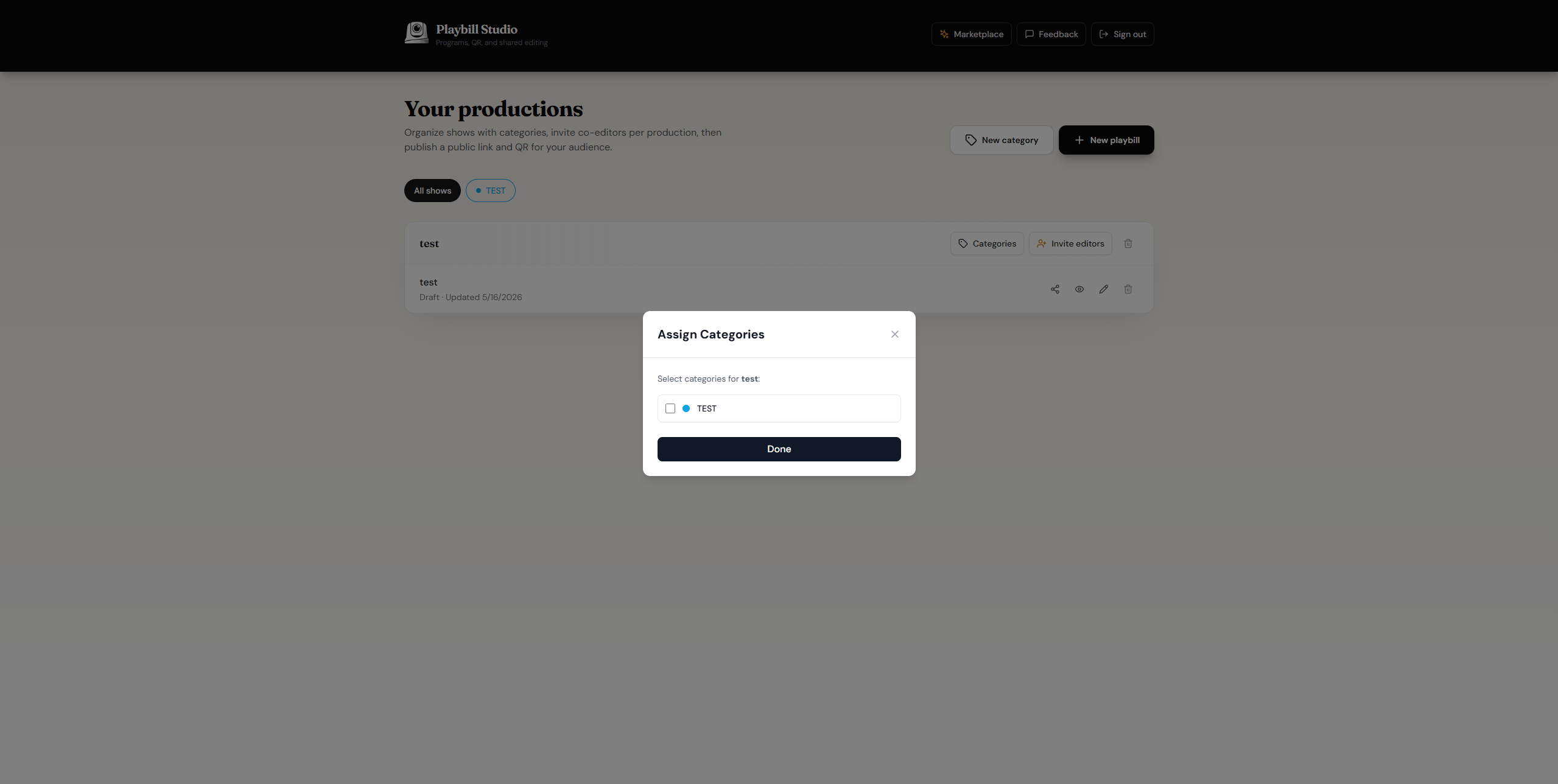
Your categories have been created and assigned to your Playbill.