> ## Documentation Index
> Fetch the complete documentation index at: https://docs.visioncam.net/llms.txt
> Use this file to discover all available pages before exploring further.
# Publish and share a Playbill
> Publish your Playbill to generate a public link and QR code that audiences can scan to view your digital program on any device, no app required.
Once your program is ready, publishing it takes just a few clicks. VisionCam generates a public link and QR code you can share anywhere — digitally or in print.
## Step 1: Open the Share menu
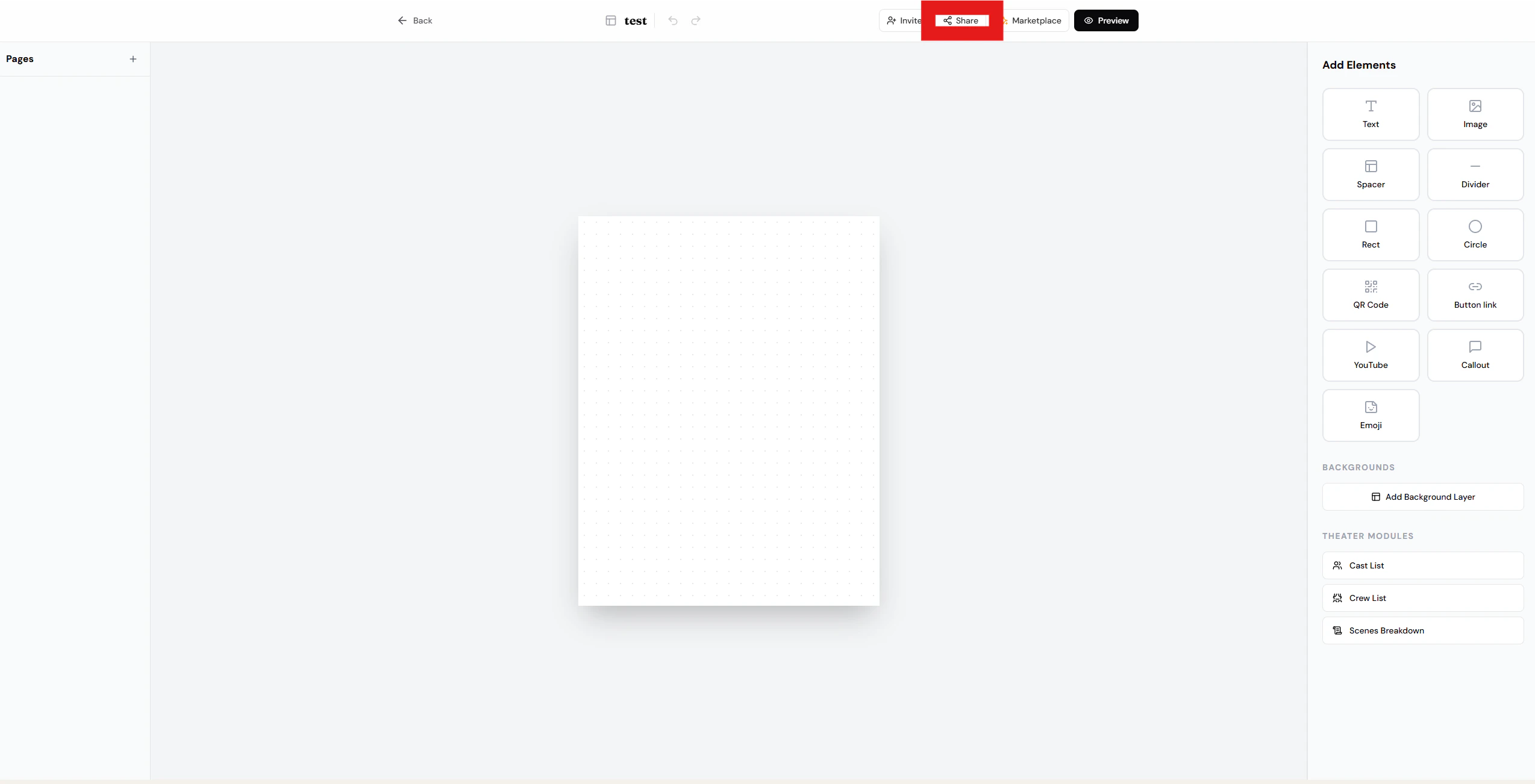
Tap **Share** in the top-right corner of your program.
 ## Step 2: Create a public link & QR code
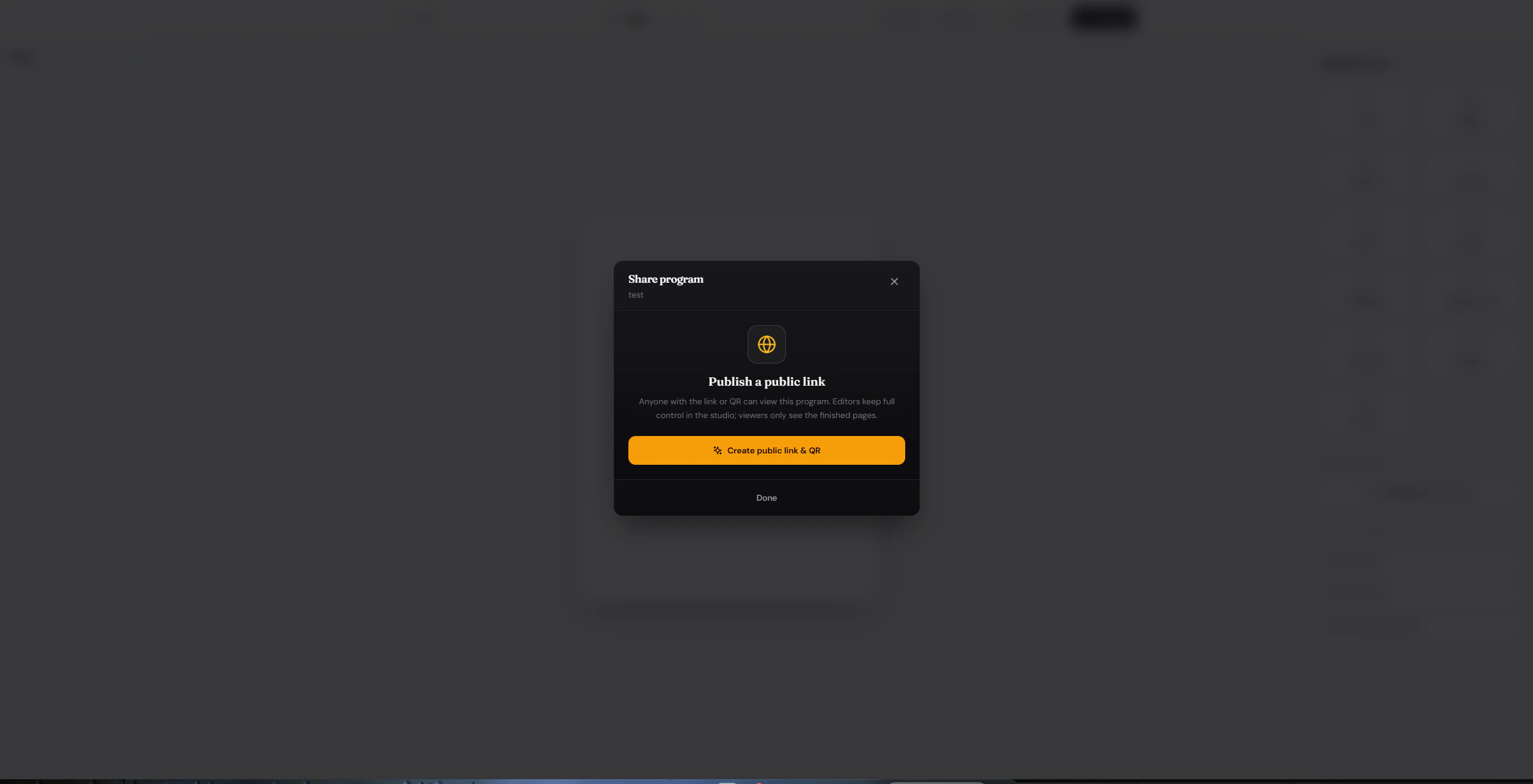
Select **Create public link & QR** to generate your shareable assets.
## Step 2: Create a public link & QR code
Select **Create public link & QR** to generate your shareable assets.
 ## Step 3: Share it
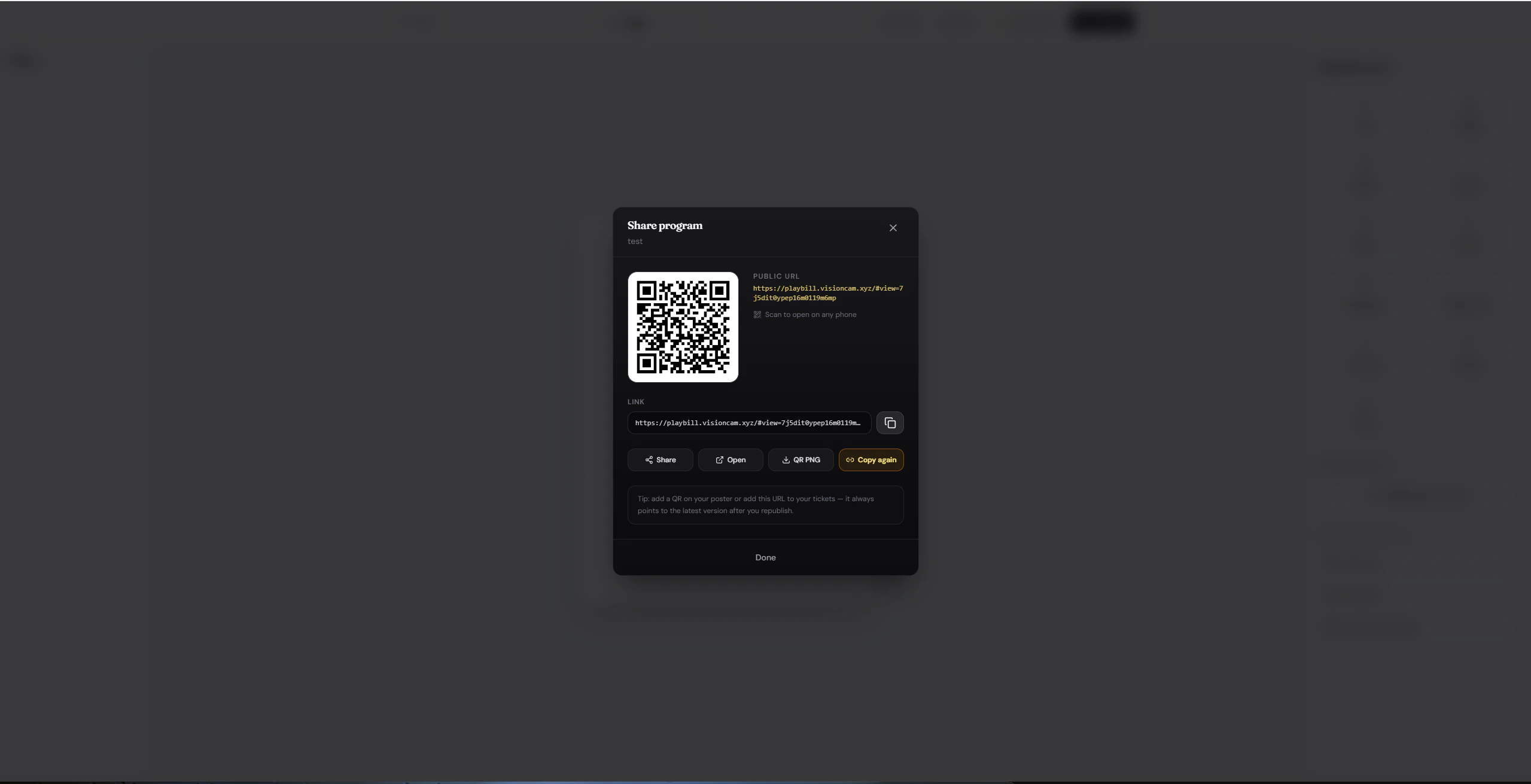
Once generated, use any of the action buttons to distribute your program:
## Step 3: Share it
Once generated, use any of the action buttons to distribute your program:
 | Button | What it does |
| -------------- | ----------------------------------------------------------------------------------- |
| **Share** | Opens your device's native share sheet — send via text, email, or any app. |
| **Open** | Previews the public program page exactly as viewers will see it. |
| **QR PNG** | Downloads the QR code as a PNG — perfect for posters, tickets, or printed programs. |
| **Copy again** | Re-copies the public URL to your clipboard for easy pasting. |
Print the QR code on your event materials so attendees can pull up the program instantly on their phones.
| Button | What it does |
| -------------- | ----------------------------------------------------------------------------------- |
| **Share** | Opens your device's native share sheet — send via text, email, or any app. |
| **Open** | Previews the public program page exactly as viewers will see it. |
| **QR PNG** | Downloads the QR code as a PNG — perfect for posters, tickets, or printed programs. |
| **Copy again** | Re-copies the public URL to your clipboard for easy pasting. |
Print the QR code on your event materials so attendees can pull up the program instantly on their phones.