> ## Documentation Index
> Fetch the complete documentation index at: https://docs.visioncam.net/llms.txt
> Use this file to discover all available pages before exploring further.

# Create categories to organize Playbills

> Group related Playbills with categories so you can quickly find programs by event type, venue, or season inside your VisionCam dashboard.

<Steps>
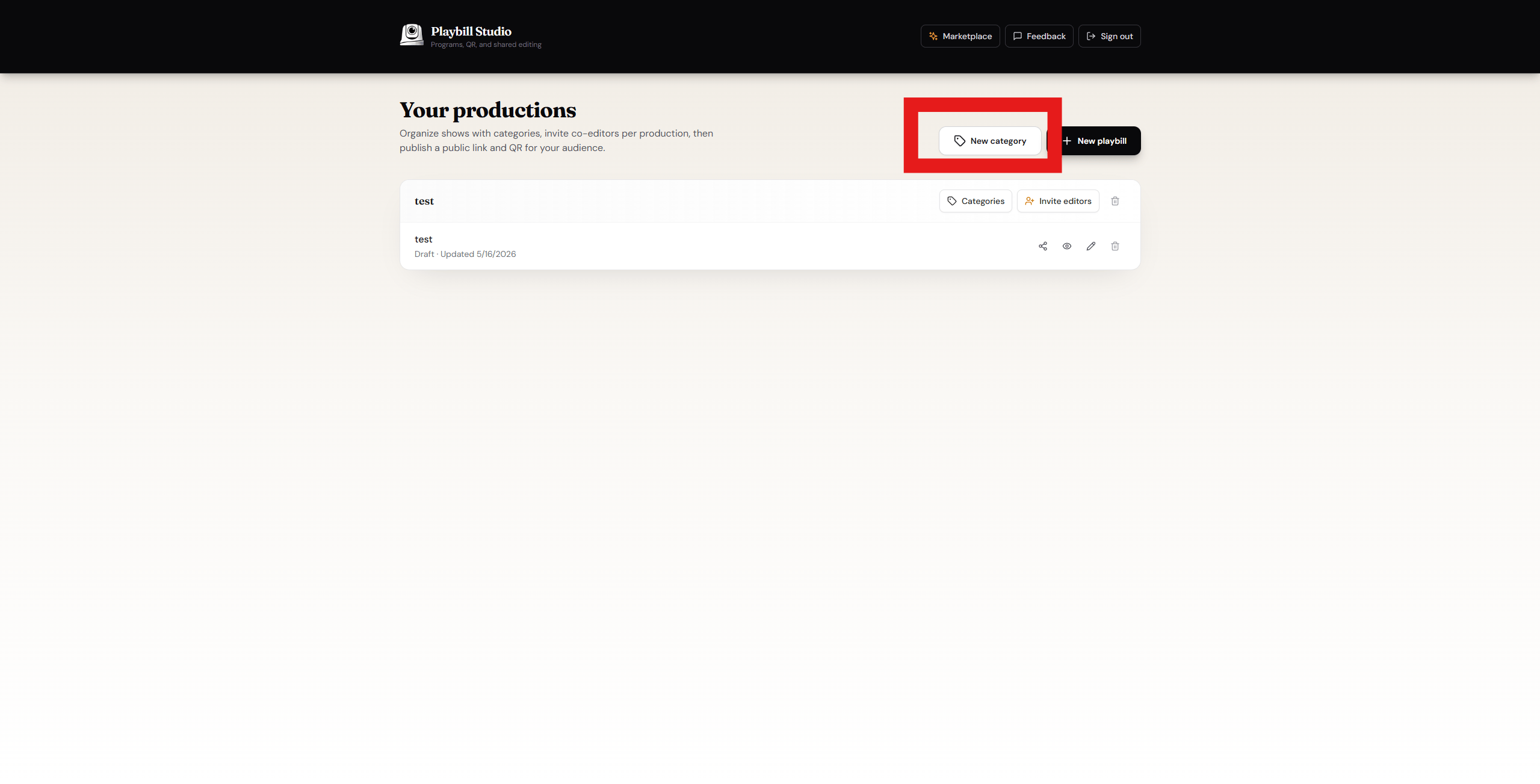
  <Step title="Click 'New Category'">
    In the top right corner, click the **New Category** button.
    <Frame>
      <img src="https://mintcdn.com/visioncam/gai8rDCSTL8Pj7bR/images/Screenshot-2026-05-16-135227.png?fit=max&auto=format&n=gai8rDCSTL8Pj7bR&q=85&s=6ed6cf73f45d877de644b7250eec88b9" alt="New Category button" width="2559" height="1303" data-path="images/Screenshot-2026-05-16-135227.png" />
    </Frame>
  </Step>

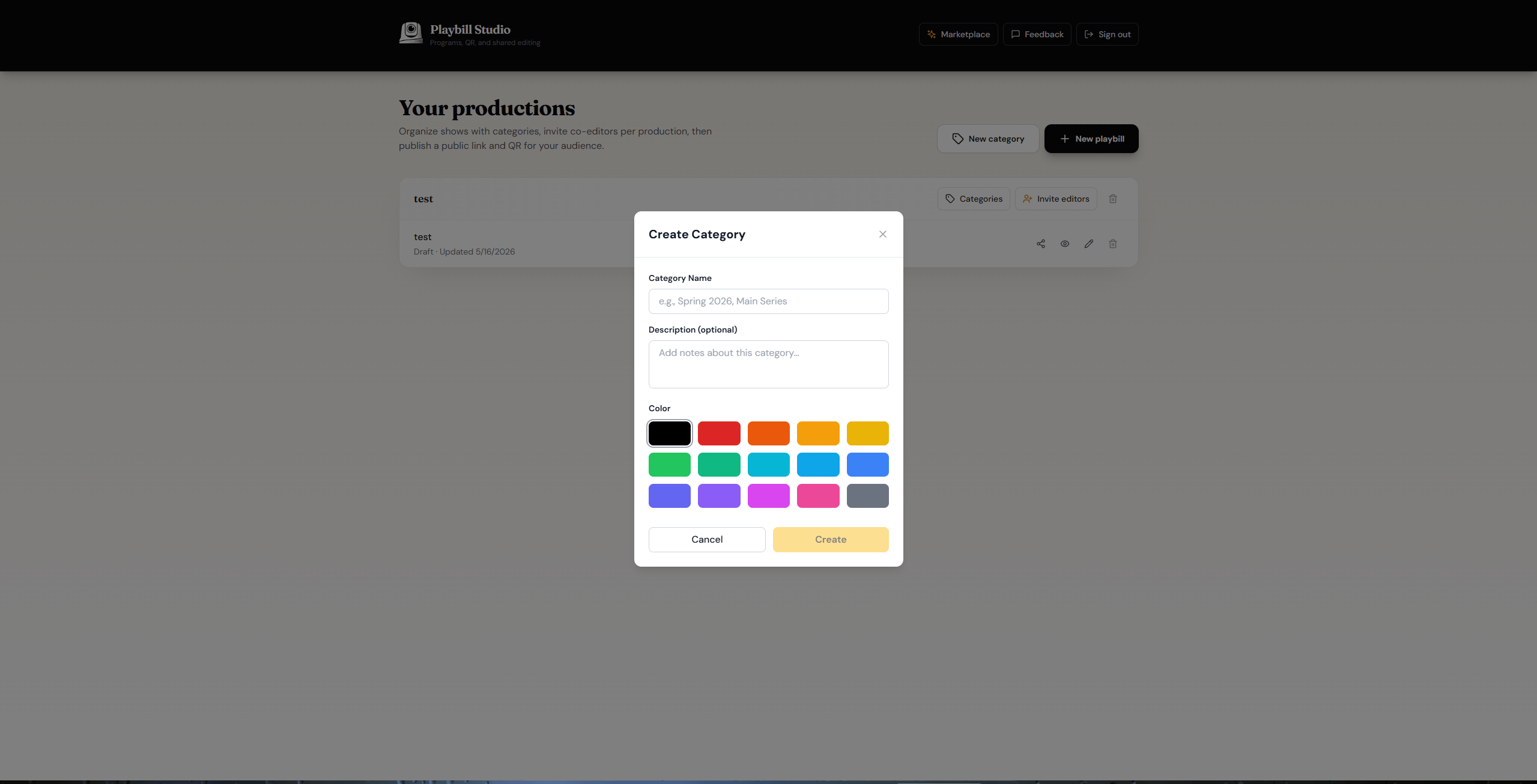
  <Step title="Configure your category">
    Fill in the settings for your category, then click **Create**.
    <Frame>
      <img src="https://mintcdn.com/visioncam/gai8rDCSTL8Pj7bR/images/Screenshot-2026-05-16-140423.png?fit=max&auto=format&n=gai8rDCSTL8Pj7bR&q=85&s=9c7564ce5e4ccbbaa0eba96092767b5d" alt="Category settings" width="2559" height="1306" data-path="images/Screenshot-2026-05-16-140423.png" />
    </Frame>
  </Step>

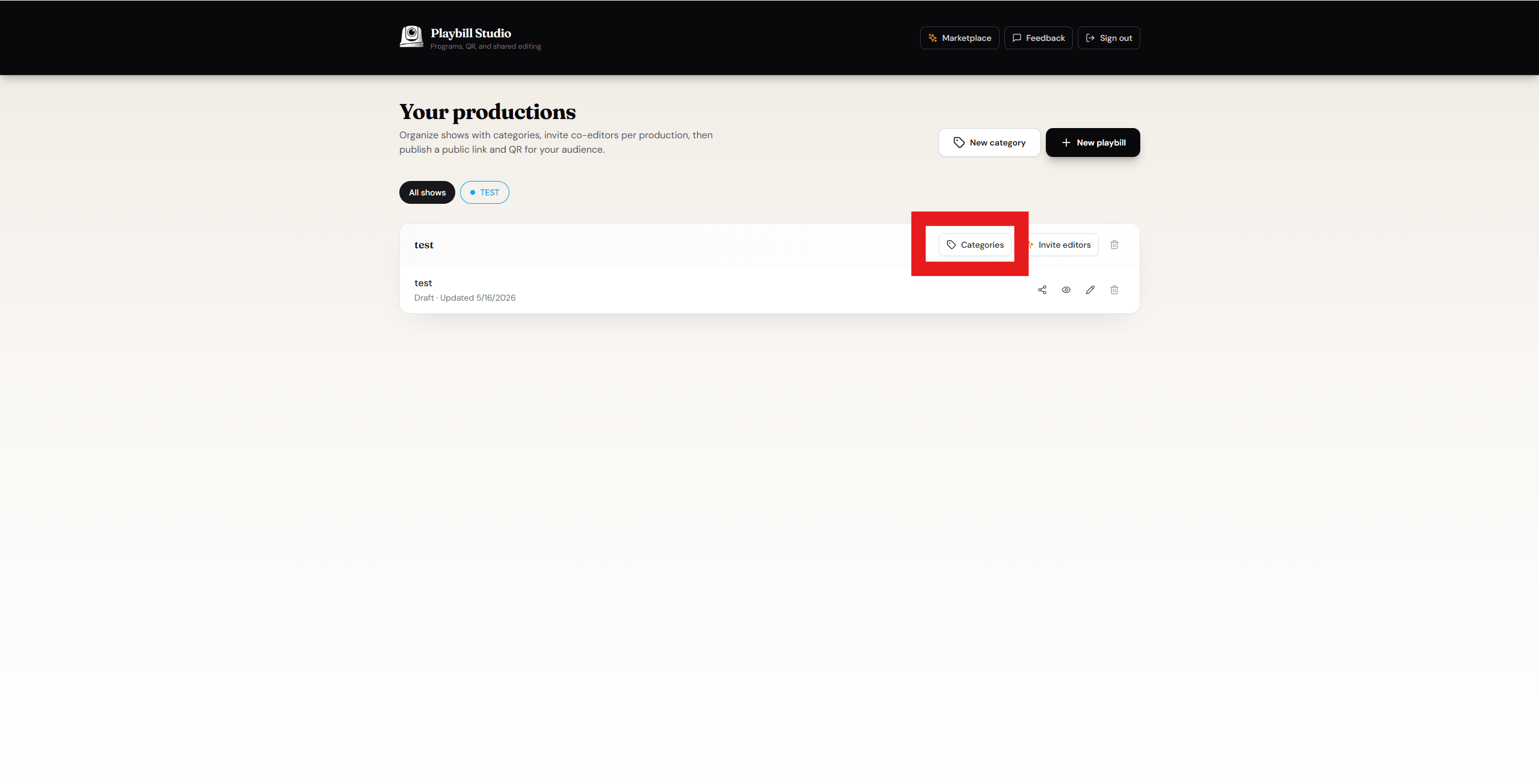
  <Step title="Open Categories on your Playbill">
    Navigate to your Playbill and click **Categories**.
    <Frame>
      <img src="https://mintcdn.com/visioncam/gai8rDCSTL8Pj7bR/images/Screenshot-2026-05-16-140541.png?fit=max&auto=format&n=gai8rDCSTL8Pj7bR&q=85&s=2a4883475770dcc935640e27986b8c63" alt="Categories on Playbill" width="2559" height="1304" data-path="images/Screenshot-2026-05-16-140541.png" />
    </Frame>
  </Step>

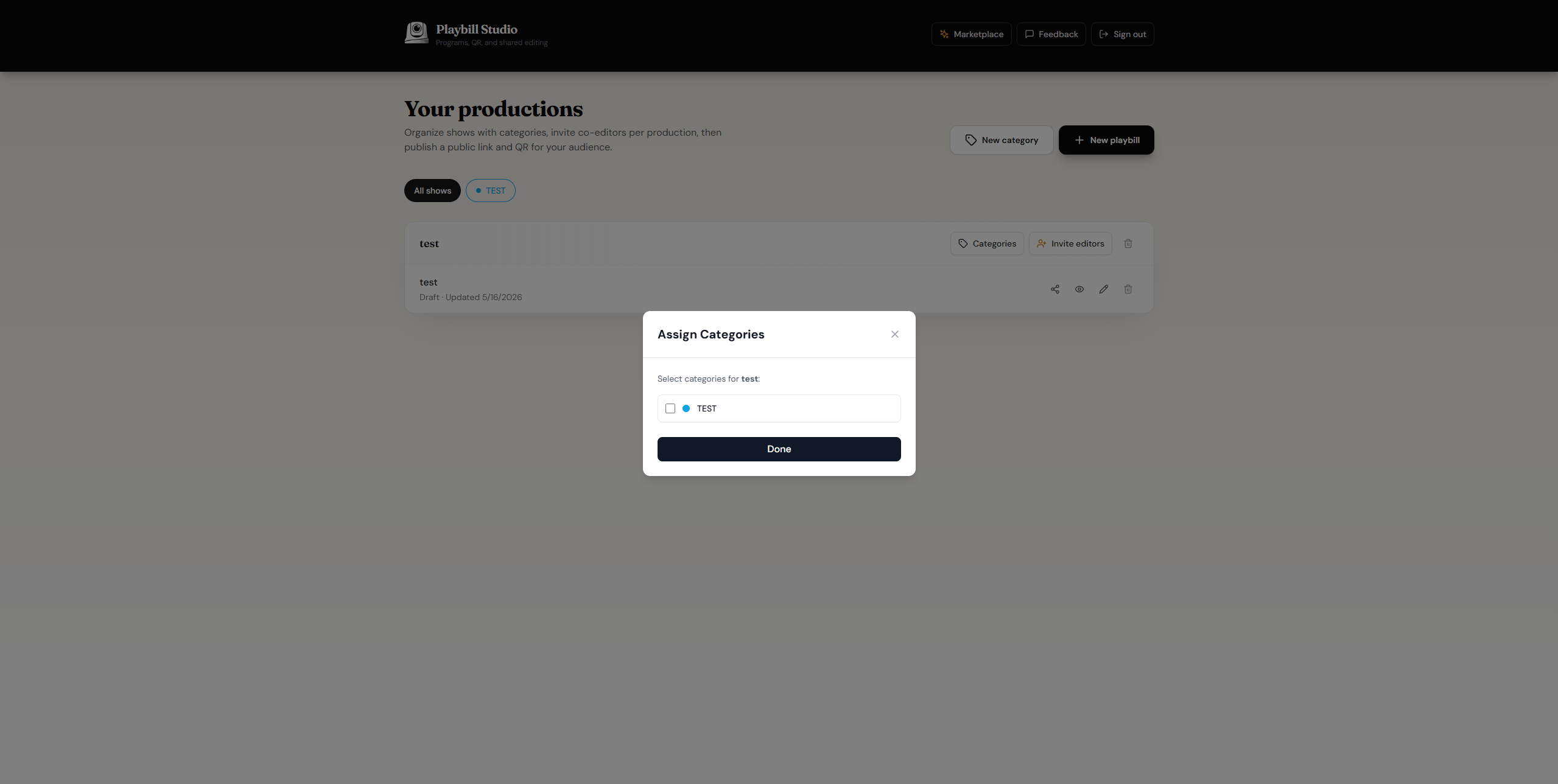
  <Step title="Assign categories">
    Select all the categories you want to add to this Playbill.
    <Frame>
      <img src="https://mintcdn.com/visioncam/gai8rDCSTL8Pj7bR/images/Screenshot-2026-05-16-144339.png?fit=max&auto=format&n=gai8rDCSTL8Pj7bR&q=85&s=eb74768374a6568375f7f43b51e75147" alt="Select categories" width="2559" height="1288" data-path="images/Screenshot-2026-05-16-144339.png" />
    </Frame>
  </Step>
</Steps>

<Check>
  Your categories have been created and assigned to your Playbill.
</Check>
